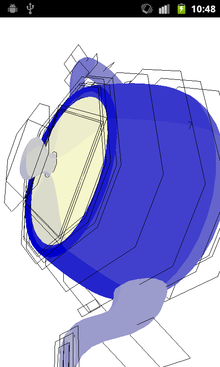
Teapot on Android I got myself a second-hand Samsung Galaxy S at last, and started hacking on it!

The very first thing I wanted to try was porting the OpenGL wikibook C++ samples, that we wrote with OpenGL ES 2 in mind.

I started writing a minimal GLUT-compatible wrapper to run the samples as-is, using the Android NDK, and I'm making progress :) The Android NDK is getting nicer with Android 2.3, though it still feels less supported than Java apps (e.g. the resize events seem buggy and the keycodes header is incomplete...). Nonetheless, it's nice to be able to write C++ portable apps.

You can see how to use the wrapper, and how it works internally, at:

http://en.wikibooks.org/wiki/OpenGL_Programming/Installation/Android

One of the limitations is that GLES2 is not a true subset of OpenGL 2.1, in particular:

  • the shader version is declared differently (#version 100 vs. #version 120)
  • GLES2 shaders require float precision hints, but OpenGL 2.1 doesn't support them at all

I needed to pre-process these differences away, checking on GL_ES_VERSION_2_0 in the C++ source code to define a GLES2 macro in the shaders:

#ifdef GLES2
varying lowp vec4 f_color;
# else
varying vec4 f_color;
#endif

Is there a better way?

See the GLSL ES specification (http://www.khronos.org/registry/gles/specs/2.0/GLSL_ES_Specification_1.0.17.pdf) section "Default Precision Qualifiers". If you don't want to change the defaults, you only have to define a default for floats in fragment shaders.
Comment by Anonymous Tue Jan 24 22:33:03 2012

Thanks for the input.

I saw you can do:

#ifdef GLES2
precision mediump float;
#endif

though I was looking for a way to do without the pre-processing.

Also AFAICS you need to define precision for uniforms in the vertex shader as well.

Comment by beuc Wed Jan 25 09:02:09 2012
#ifndef GLES2
#define lowp
#endif
Comment by Anonymous Wed Jan 25 21:52:00 2012

Nice trick! I gotta test it when I get back home tonight.

Comment by beuc Thu Jan 26 09:53:21 2012

OpenGL ES 2.0 implementations are required to have a GL_ES macro predefined in the shaders. Thus you can just do the following to get a shader that will work with both desktop GL and ES 2.0 without manually defining anything:

#ifdef GL_ES
precision mediump float;
#endif

Also, in case you need it, keep in mind that high precision (highp) support is optional in the fragment shader. You can use the the GL_FRAGMENT_PRECISION_HIGH definition to check for it:

#ifdef GL_ES
#ifdef GL_FRAGMENT_PRECISION_HIGH
precision highp float;
#else
precision mediump float;
#endif // GL_FRAGMENT_PRECISION_HIGH
#endif // GL_ES

-- Alexandros

Comment by Anonymous Thu Jan 26 10:25:08 2012

Thanks for these tips :) They work great!

Here's the shader loading code now :

  GLuint res = glCreateShader(type);
  const GLchar* sources[3] = {
    // Define GLSL version
#ifdef GL_ES_VERSION_2_0
    "#version 100\n"
#else
    "#version 120\n"
#endif
    ,
    // GLES2 precision specifiers
#ifdef GL_ES_VERSION_2_0
    // Define default float precision for fragment shaders:
    (type == GL_FRAGMENT_SHADER) ?
    "#ifdef GL_FRAGMENT_PRECISION_HIGH\n"
    "precision highp float;           \n"
    "#else                            \n"
    "precision mediump float;         \n"
    "#endif                           \n"
    : ""
    // Note: OpenGL ES automatically defines this:
    // #define GL_ES
#else
    // Ignore GLES 2 precision specifiers:
    "#define lowp   \n"
    "#define mediump\n"
    "#define highp  \n"
#endif
    ,
    source };
  glShaderSource(res, 3, sources, NULL);

Unlike what I wrote there's no need to define precision in the vertex shader, it's implicit according to the specs :)

Comment by beuc Fri Jan 27 00:07:01 2012